
Early beta. Mac and Windows.
Your trading rules,
enforced.
Follow your rules. You’re done for today.
You already know your rules. Tradeblockr holds you to them. Set them before the session, and Tradeblockr cancels any order that breaks them. When you hit your limit, it closes your position and locks you out until the next session.
- Never places a tradeIt can only cancel orders and close positions.
- Stays on your computerYour rules and your history never leave your computer.
- Locks you out for realQuitting Tradeblockr doesn’t end a lockout.
Tradovate prop firms







You’re done for today.
This is what Tradeblockr shows when you hit your limit. Your position is closed, and every new order is cancelled until the next session. Quitting Tradeblockr doesn’t end it.
Unlocks at midnight ET.
How it works
- 1
Set your rules
Max trades per day. Max risk per trade, with a stop required. A daily loss limit. A trading window. A cooldown after a loss. Lock them before the open so you can’t loosen them mid-session.
- 2
Tradeblockr cancels what breaks them
An order with no stop, too much size, outside your window or right after a loss is cancelled, and you see which rule it broke.
- 3
When you’re done, you’re done
Hit your limit and Tradeblockr closes your position, locks you out until the next session, and cancels every new order until then.
The software
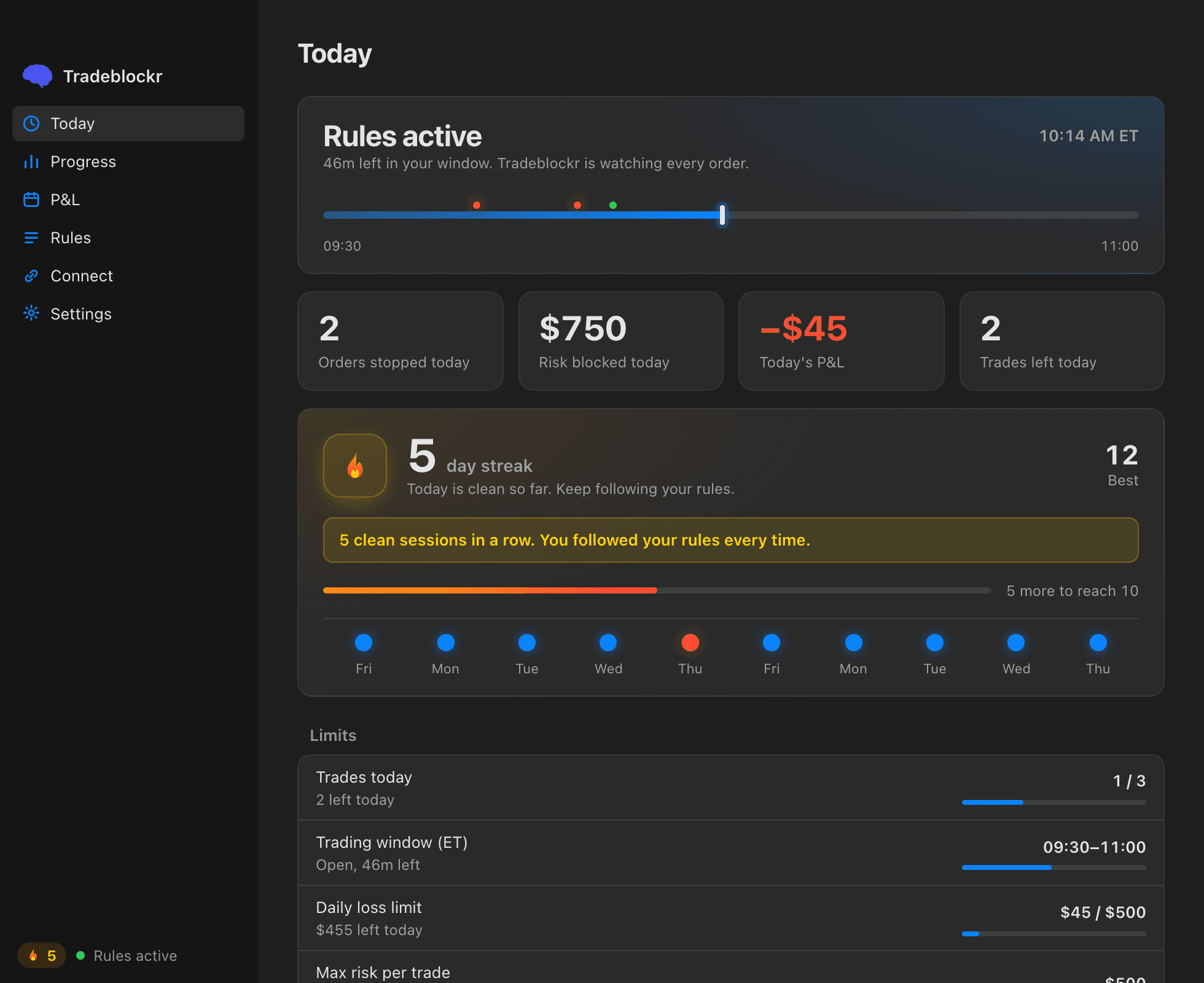
See what Tradeblockr did, and why.
Your trading window is a bar from the open to the close. Every order Tradeblockr cancels shows up on it as a red dot, and the log underneath names the rule that order broke.
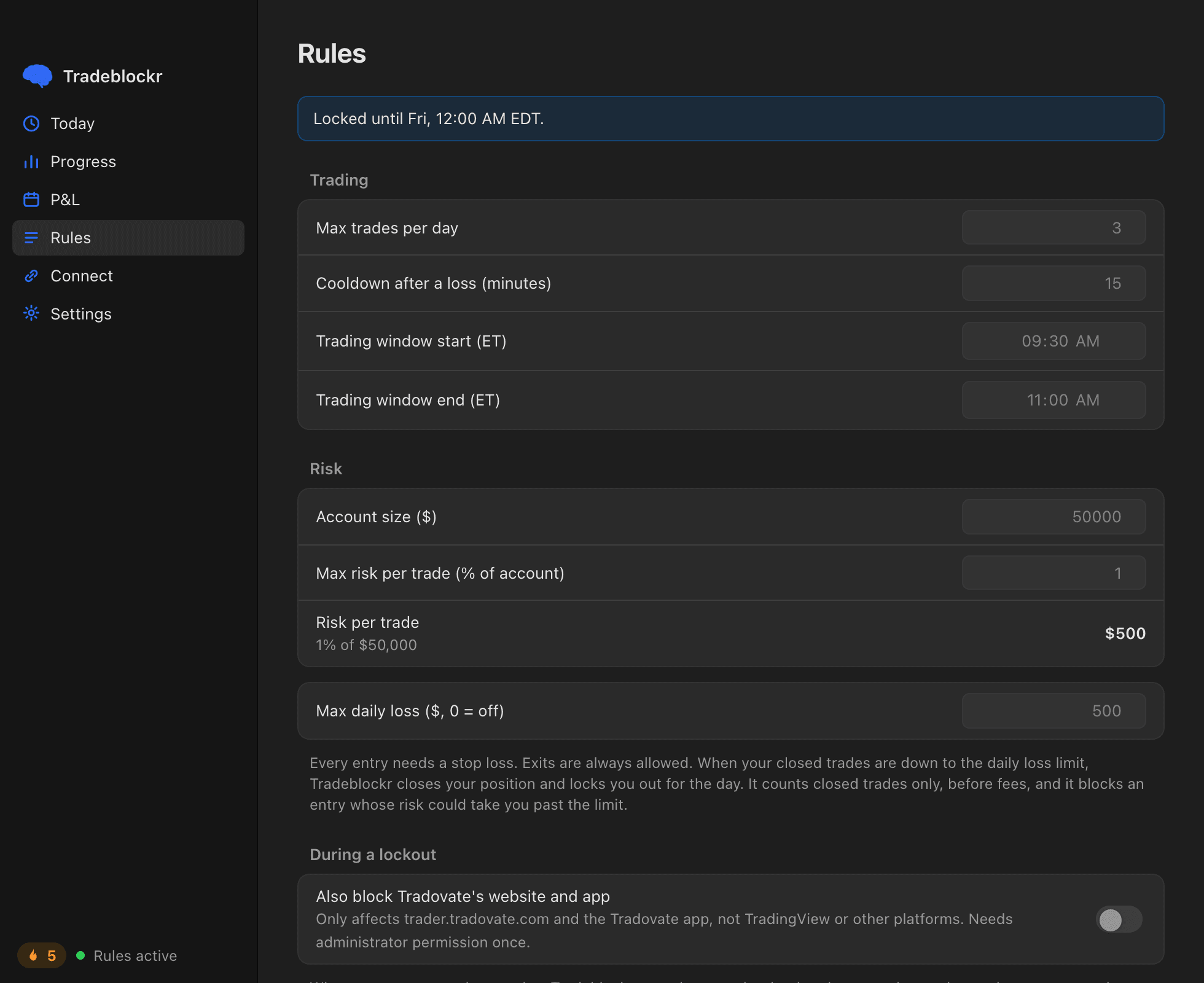
Set your rules, then lock them.
Choose your max trades, your max risk per trade, a daily loss limit, your trading window and your cooldown after a loss. Once you lock them you can't change them until midnight ET, so you can't loosen them in the middle of a bad session.
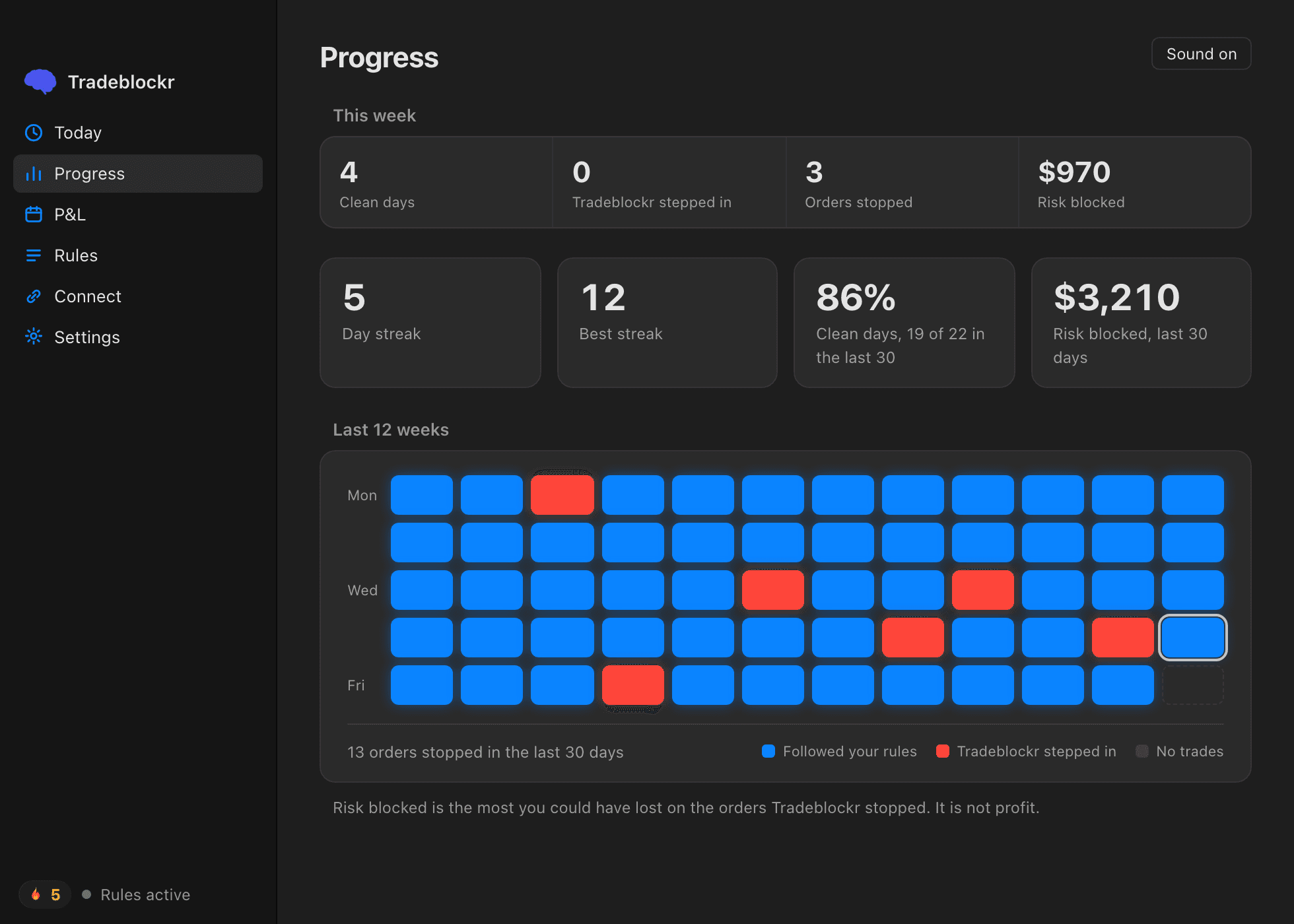
Keep track of the days you stuck to them.
A session where Tradeblockr never had to step in is a blue square. A session where it did is red. Your streak counts the blue ones in a row, and the last twelve weeks sit on one screen.
Screens show example data.
Common questions
Does Tradeblockr place trades?
No. Tradeblockr only cancels orders that break your rules and closes your position. It can’t open a trade or add to one.
Which platforms does it work with?
We’re building for Tradovate, Rithmic and NinjaTrader. Support is planned, not available yet, and Tradeblockr isn’t affiliated with any of them. Some prop firms limit third-party tools, so check your firm’s rules before you use it.
What happens when I hit my limit?
Tradeblockr closes your position, locks you out until the next session, and cancels every new order until then. Quitting Tradeblockr doesn’t end the lockout.
Can I change my rules during the session?
No. Set them before the open and lock them. Once locked, they stay that way until the next session.
What do you do with my email?
If you email us for a key, we use your address only to send the key and reply to you. We never sell or share it, and you can ask to be removed at any time.
Get the beta
Tradeblockr is in early beta for Mac and Windows. Download it, then email us to ask for a key. Start with a demo account.
- Never places a tradeIt can only cancel orders and close positions.
- Stays on your computerYour rules and your history never leave your computer.
- Locks you out for realQuitting Tradeblockr doesn’t end a lockout.
- Exits are always allowedTradeblockr never blocks an order that only closes a position.
- Every cancel has a reasonYou see which of your rules the order broke.
- Never places a tradeIt can only cancel orders and close positions.
- Stays on your computerYour rules and your history never leave your computer.
- Locks you out for realQuitting Tradeblockr doesn’t end a lockout.
- Never places a tradeIt can only cancel orders and close positions.
- Stays on your computerYour rules and your history never leave your computer.
- Locks you out for realQuitting Tradeblockr doesn’t end a lockout.
- Exits are always allowedTradeblockr never blocks an order that only closes a position.
- Every cancel has a reasonYou see which of your rules the order broke.